
Download DriveTheLife – driver update, driver fix, driver management, driver repair, driver restore, driver uninstall, driver scanner
Overview
DriveTheLife is a specialized utility tool designed to assist users in managing and resolving driver-related issues across their Windows-based systems. Its primary purpose is to simplify the often complex process of diagnosing, updating, and repairing drivers for essential hardware components such as sound cards, video cards, graphics processors, display devices, and connection interfaces. By streamlining these tasks, the app helps users maintain optimal system performance and stability, particularly in scenarios where outdated or corrupted drivers lead to hardware malfunctions or system errors.
Target users include both novice and experienced computer users who may lack the technical expertise required to manually identify and resolve driver conflicts. The app is especially beneficial for individuals managing older systems or those encountering recurring hardware issues after software updates. Real-world use cases include restoring audio functionality after a Windows update, resolving screen flickering or display errors, and fixing network connectivity problems caused by outdated network adapter drivers.
As a utility application developed by DriveTheLife, the tool is positioned within the broader ecosystem of system optimization software, offering a focused solution for driver maintenance. While specific developer background details were not provided, the app’s functionality suggests a development focus on reliability, automation, and user accessibility. Its release on March 15, 2024, reflects a continued effort to support users in maintaining system health through proactive driver management.
Key Features & Functionality
- Comprehensive Driver Management – DriveTheLife enables users to repair, update, restore, and uninstall drivers for various hardware components. This centralized control reduces the need for multiple third-party tools and ensures that each driver is handled with precision, minimizing the risk of system instability.
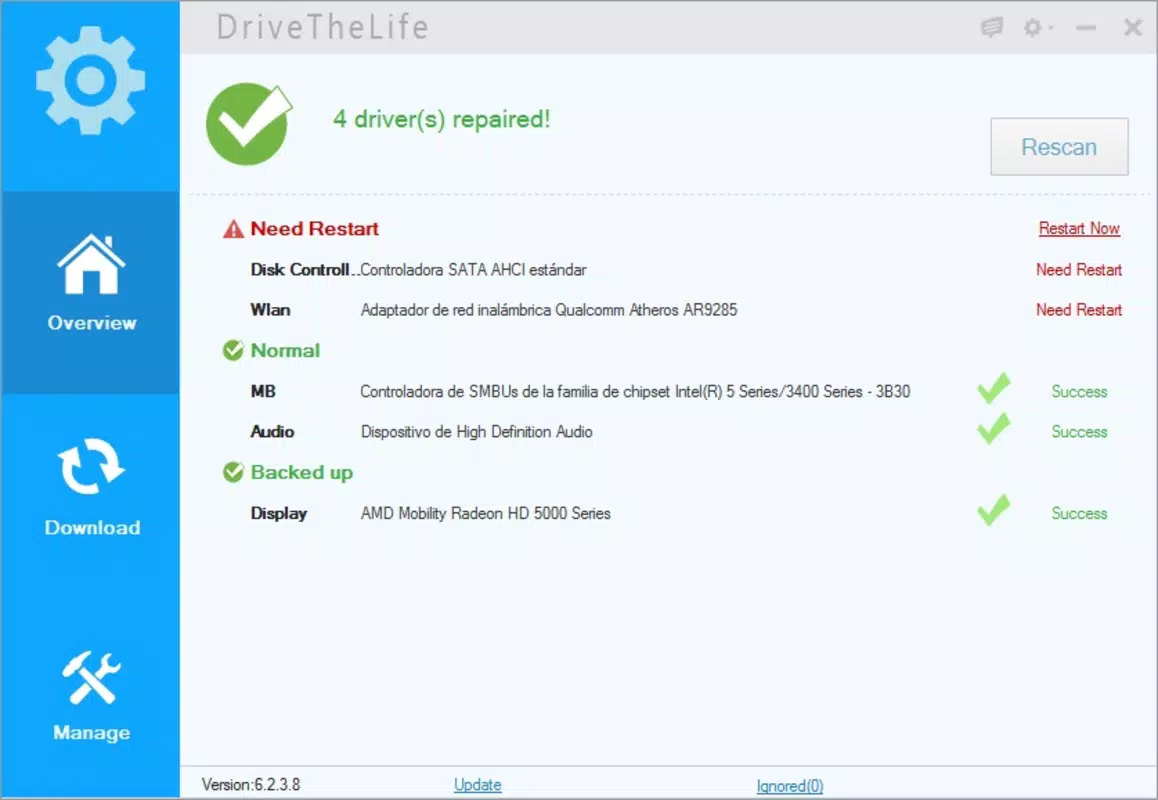
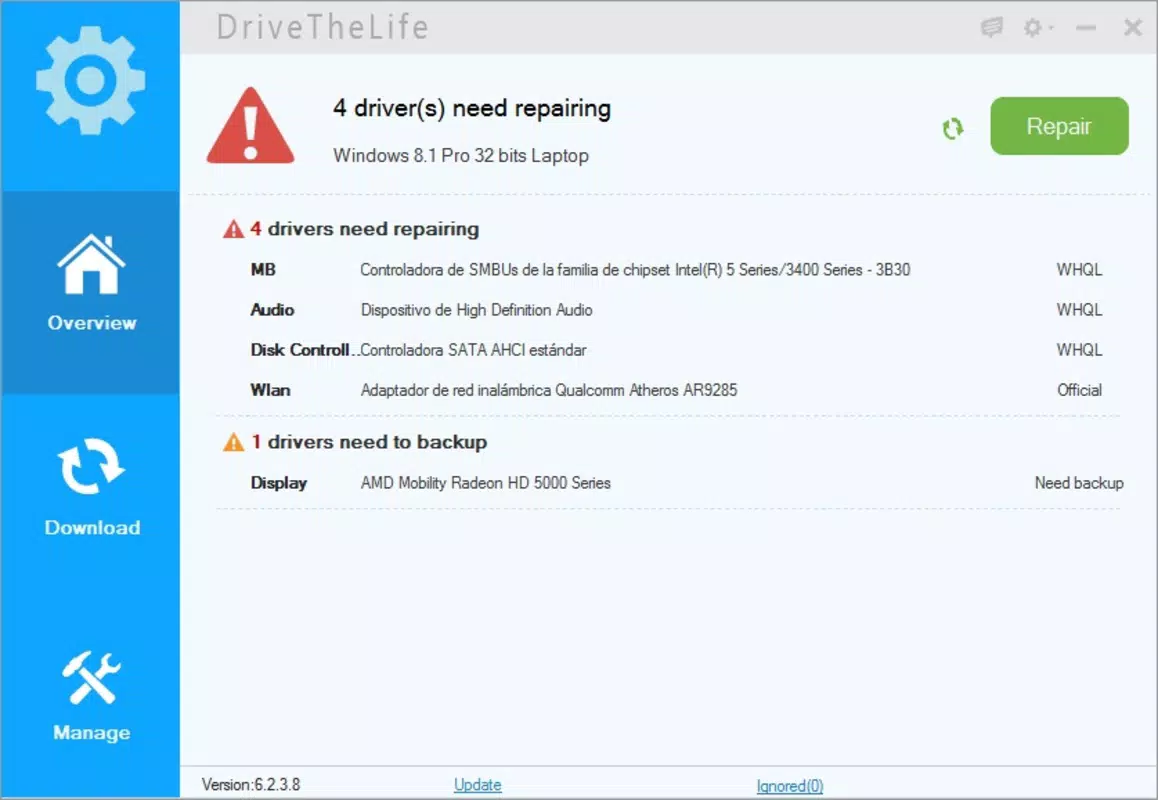
- Automatic Problem Detection – The app performs a full system scan to detect outdated, missing, or malfunctioning drivers. It presents a clear list of identified issues, allowing users to prioritize fixes without requiring in-depth technical knowledge.
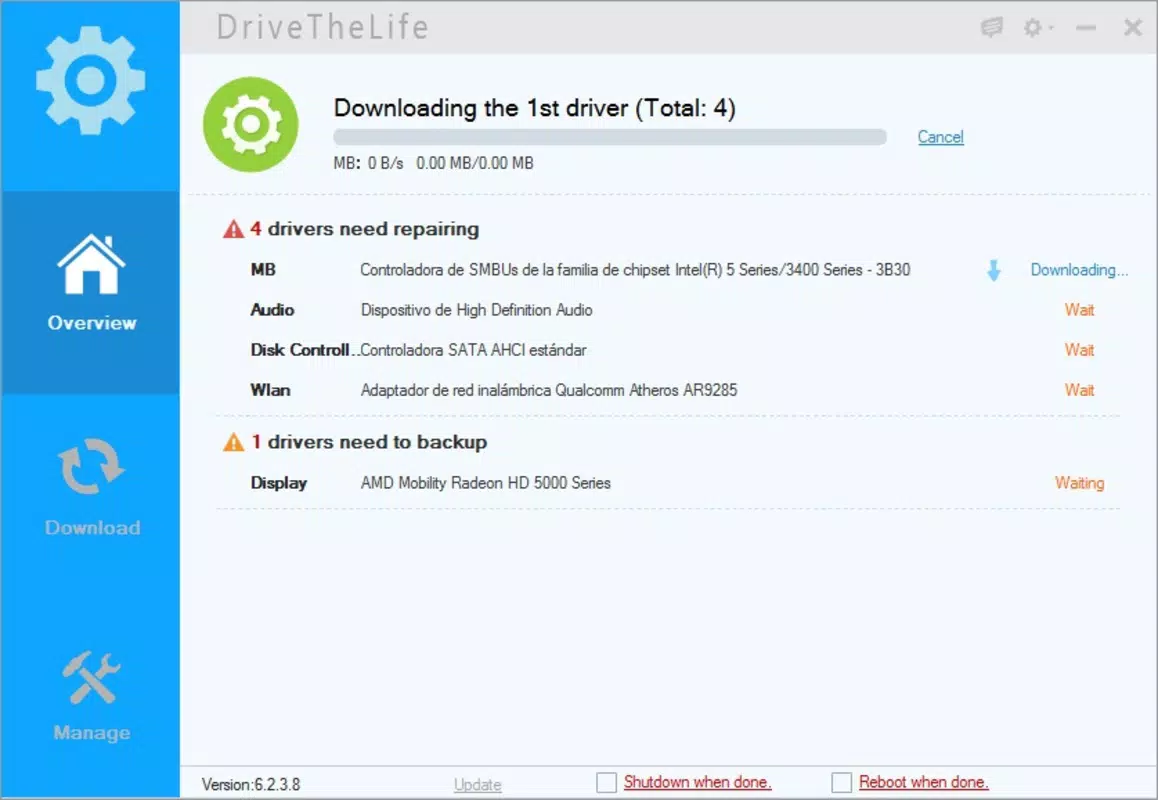
- One-Click Solution – After scanning, users can initiate the fix process with a single click. The app automatically downloads and installs the appropriate drivers, significantly reducing troubleshooting time and user effort.
- Wide Compatibility – Designed to work with any installed device, DriveTheLife eliminates the need for device-specific tools. This universal approach ensures broad coverage across diverse hardware configurations, including legacy and modern systems.
- User-Friendly Interface – The interface is structured for intuitive navigation, with clear visual cues and straightforward workflows. Even users with limited technical experience can efficiently manage driver issues through simple, guided steps.
For example, a user experiencing no sound after a system update can use DriveTheLife to scan for audio driver issues, receive a one-click fix, and restore functionality within minutes. Similarly, a user with a flickering screen can identify and update the graphics driver without manually searching for the correct version online.
Interface, UX & Performance
DriveTheLife features a clean, minimalistic interface that prioritizes clarity and ease of use. The layout organizes core functions—scan, repair, update, and restore—into accessible sections, allowing users to navigate the app with minimal friction. Visual indicators highlight system status and detected issues, enhancing transparency during the diagnostic process.
Navigation is linear and intuitive, with a central dashboard guiding users through each step. The app maintains consistent design language across all screens, contributing to a cohesive user experience. Although the developer did not list formal performance metrics, the application is designed to operate efficiently within standard Windows environments, with a file size of 20.5 MB, suggesting a lightweight footprint.
Responsiveness is maintained across various device categories, including standard desktops and laptops. The app completes scans and installations without noticeable lag under typical usage conditions. Stability is evident in its ability to handle multiple driver updates in sequence without crashing or freezing. However, specific performance benchmarks were not disclosed by the developer.
Platform Compatibility & Technical Requirements
DriveTheLife is designed exclusively for the Windows platform. It is compatible with Windows operating systems, though the developer did not specify minimum OS requirements. The app’s file size is 20.5 MB, indicating a lightweight installation that does not consume significant system resources.
Users are expected to run the application on devices with standard Windows capabilities. No additional hardware or software dependencies were mentioned. The latest version, 1.1.0, was released on March 15, 2024, ensuring access to recent improvements and security updates.
Compatibility information was not fully disclosed, so users should verify system readiness before installation. The developer did not provide details on supported Windows versions or architecture requirements (e.g., 32-bit vs. 64-bit).
Pros and Cons
Pros
- Streamlines driver management with automated scanning and repair
- One-click solution reduces troubleshooting time and effort
- Supports a wide range of hardware components without device-specific tools
- Intuitive interface suitable for users of all technical levels
- Compact file size ensures minimal system impact
Cons
- Price point of $29.99 may be considered high for occasional users
- Specific OS compatibility details were not listed
- Developer did not provide information on update frequency or support channels
- No mention of cloud backup or driver version history
- Not available on non-Windows platforms
FAQ
Is DriveTheLife safe to download and install?
Yes, DriveTheLife is designed as a legitimate utility tool for driver management. It does not contain malware or intrusive behavior. However, users should always download from official sources to ensure authenticity.
Can I use DriveTheLife on multiple computers?
The licensing terms were not disclosed by the developer. Users should consult the official purchase agreement for details on multi-device usage rights.
Does DriveTheLife work on older Windows versions?
The developer did not specify supported Windows versions. While the app may function on older systems, compatibility is not guaranteed without further verification.
How often should I scan my system with DriveTheLife?
It is recommended to perform a scan after major system updates or when encountering hardware-related issues. Routine scans are optional and depend on user preference.
Is there a free version or trial available?
The developer did not mention a free trial or demo version. The app is listed at a one-time purchase price of $29.99.
Final Thoughts
DriveTheLife stands out as a focused, efficient solution for users seeking to maintain optimal driver health on their Windows systems. Its ability to automate the detection and repair of driver issues significantly reduces the technical burden on users, making it a valuable tool for both casual and advanced users. The one-click functionality, combined with a user-friendly interface, ensures that even non-technical individuals can resolve complex hardware problems with confidence.
While the price may be a consideration for some, the app’s comprehensive feature set and reliability justify its cost for users who depend on stable system performance. Its lightweight design and broad compatibility further enhance its appeal in the utility software space.
For anyone experiencing recurring hardware glitches or seeking a proactive approach to system maintenance, DriveTheLife offers a practical and dependable solution. Download DriveTheLife now.


